
Save The Gospel Truth App icon to the Home Screen of your I-Phone, that way it is always there when you want it, but especially when you need it.
Click on the share button (the arrow) at the top right of the screen.

Scroll down to Add to Home Screen and click.
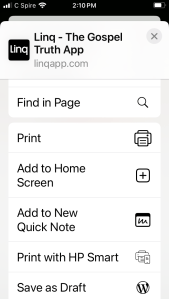
Click on the Add button. The Linq App logo will appear.

 theattituderules.com